The One-Person Publishing Desk: What's Actually on It
A desk you can work at and a desk that photographs well are two different projects. Here's what earns a place on a small home desk you write and publish from, and what to clear off it.
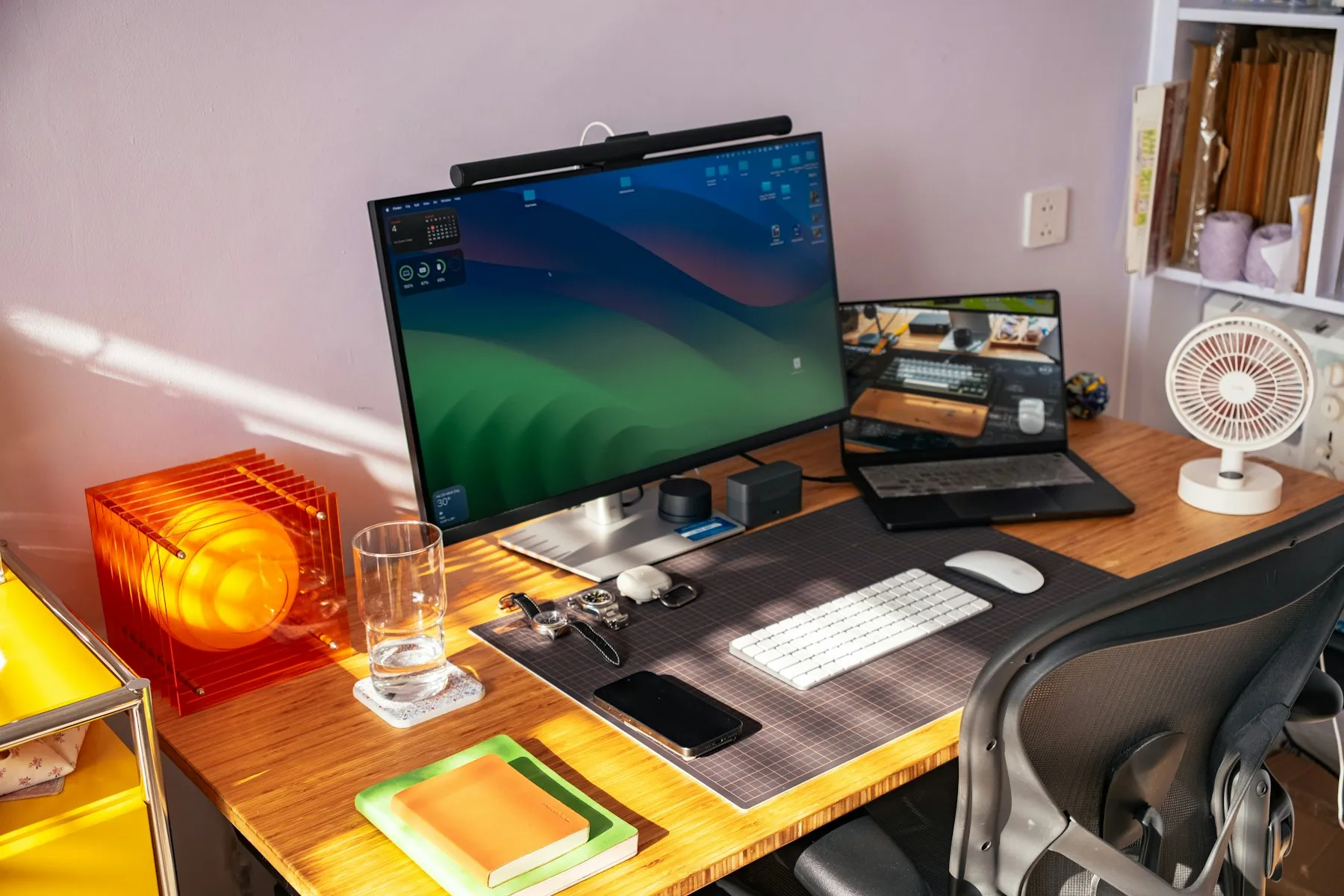
Finishing a desk setup comes with its own kind of letdown. The lamp shows up, the cables get routed, the plant lands in the right corner, and then you sit down and don’t write anything.
Most of the time, the desk was set up to be looked at. Photos reward symmetry, empty surfaces and matching objects. Work rewards close to the opposite: things within reach, a surface you’re allowed to mess up, and a chair you forget about after ten minutes. Those two goals overlap less than a Pinterest board suggests.
This post covers the working version for small spaces: a bedroom corner, a spare table, the end of a kitchen counter. Most people who publish alone don’t have a home office, and I’m writing for them.
My own setup is simple: a laptop and one external display. I’ll get to why that second screen earns its place.
Start with a bigger surface than you think you need
The most common mistake in a small setup is a desk that barely fits. A surface sized to a laptop leaves no room for a notebook, a coffee or whatever you’re referencing, so those end up on your lap or the floor and you reach for them all day.
Depth matters more than width. Around 24 inches (about 60 cm) is a common rule of thumb. That’s deep enough to push the screen back to a comfortable distance and still keep room in front for your hands and a notebook. A shallow desk pulls the screen close, and that’s a common source of the neck ache people blame on their chair.
If you can’t change the desk, change what sits on it. Keep a clear area in front of you about the size of an open notebook, all the time. That’s where your work happens.
Four layouts for a small room
Where the desk sits changes a room more than anything you put on it. Four layouts cover most small spaces.
Against a wall. This is the default, and the weakest for focus. You face a blank surface up close, your eyes never focus past arm’s length, and the room sits behind you where you can’t ignore it. Use it when the floor plan leaves no other choice. If you’re stuck with it, hang something with depth at eye level, like a landscape print, and look up at it on purpose.
Sideways to a window. The best option in most small rooms. You get daylight on your page, no glare on your screen, and something far away to rest your eyes on every few minutes. In a bedroom, that usually means running the desk along the wall that has the window instead of tucking it under the window.
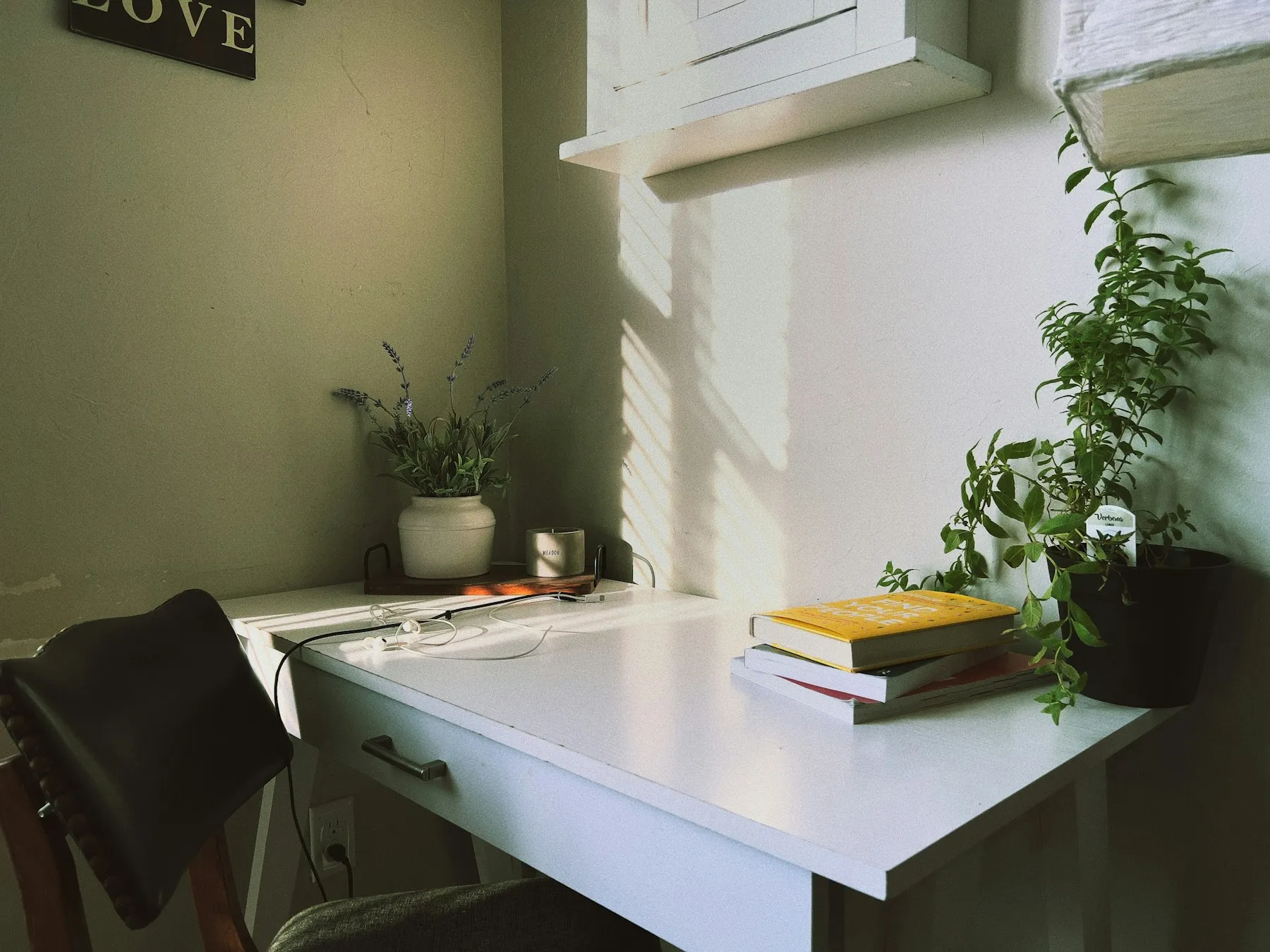
Photo: Chris Vasquez on Unsplash
In the middle of the room. It looks dramatic in photos and works better than you’d expect. You face open space, so the room feels like a room instead of storage with a desk pushed against one wall. Plan your cables from day one: a power strip mounted under the desk beats a cord across the floor. The back of the desk also needs to look decent from the doorway.
A desk that folds away. A drop-leaf table, a wall-mounted shelf, or a desk that lives in a cabinet. In a bedroom this often beats a permanent desk even when one would fit. A desk you can see from your bed keeps work in the room at hours when it shouldn’t be there.
Most setups get sorted into cozy or minimal. Minimal photographs better and takes less effort to keep tidy. Cozy feels better after three hours in the chair. A good middle ground is a minimal desk in a warm room: keep the desk clear, the light soft and the textiles elsewhere. Plenty of “minimal” setups you’ve seen pinned have a rug just out of frame.
Light decides how long you last
Light matters more than the chair or the screen. A room lit by one overhead bulb wears you down in a way you won’t notice until evening.
Two changes fix most of it.
Turn the desk sideways to the window. Facing a window puts a bright field behind your screen, and your eyes spend the day adjusting. With the window behind you, glare lands on the screen. Sideways gives you daylight on your hands without either problem.
Add one lamp at the side. Put a desk-height lamp on the side opposite your writing hand. It removes the shadow your arm casts and softens the contrast between a bright screen and a dark room. If your lamp lets you, use warm light in the evening and cooler light during the day.
A side lamp also makes a small corner look like a place you chose on purpose. That’s a bonus, and a nice one.
The chair, and what people get wrong about it
An expensive chair in the wrong position does worse than a kitchen chair in the right one.
Aim for feet flat on the floor, knees at roughly a right angle, and forearms level with the desk while your shoulders stay relaxed. If your feet dangle, put something under them. If your shoulders rise to reach the desk, the chair sits too low or the desk too high. Most desks don’t adjust, so make the fix at the chair.
You won’t hold that position all day, and you shouldn’t try. Treat it as the position you come back to. Standing desks help mostly because they make you change position. A timer that gets you up every forty minutes gives you some of that change for free.
The screen, and how many you need
Two screens help when your work means looking at one thing while making another: editing with a reference open, or writing with notes beside you. For pure writing, a second screen mostly gives distractions a place to live.
My desk is a laptop plus one external display, and I added the display for that first reason. Most of my work is building websites, which means looking at one thing while making another all day. The extra screen made that work noticeably faster.
If you write more than you assemble, try one screen and a paper notebook. If you want two, put the second one beside the first instead of stacking it above, and keep your main screen straight in front of you. A screen you turn your head toward all day turns into a neck problem six months later.
Set the top of the screen about level with your eyes. A stack of books works as well as a stand.
If you pair a laptop with a display, raise the laptop on a stand or a stack of books so both screens sit at roughly the same height, and use a separate keyboard so your hands can stay low. Without that, you’ll spend the day glancing down at one screen and straight ahead at the other, and your neck will feel every switch.
Sound
A small home desk usually shares a room with other things going on. You don’t need silence. You need a consistent sound that tells your brain a work session has started.
Noise-canceling headphones, a fan or the same album for the twentieth time all work. Pick one and stick with it, since the consistency does most of the work.
What to take off the desk
This list is shorter than the list of things to add, and it does more.
Your phone. Put it out of arm’s reach instead of face down. Within reach, it pulls at your attention even when you don’t touch it.
Anything from a different job. Bills, unopened mail, the thing you keep meaning to return. A desk that holds unrelated obligations becomes a place you avoid.
Decorations you’ve stopped seeing. If something’s been there a year and you couldn’t describe it with your eyes closed, it’s taking up space and giving nothing back. One or two objects you love beat six that came with the look.
Cables you can route. Loose cables make you move things carefully, and a desk you have to handle carefully is a desk you’ll use less.
Four checks your body will make for you eventually
I build websites; I’m not an ergonomics specialist. These four checks follow widely shared guidance, and all four are free to fix.
Elbows. Shoulders relaxed, forearms level with the desk. If your shoulders lift to reach the keyboard, your upper back pays for it by afternoon.
Eyes. Top of the screen near eye level, about an arm’s length away. Any closer and you start leaning in without noticing.
Feet. Flat on the floor. When they dangle, your weight hangs from your thighs and you keep shifting to escape it. A box or a stack of books fixes it.
Wrists. Keep them floating while you type, off the edge of the desk. A hard edge pressing into your wrists for hours causes strain you won’t notice until later, so fix this one early.
None of these needs a purchase. If something still hurts once all four are right, that’s when equipment is worth money, and you’ll know which piece to buy.
What to fix first, by cost
The cheapest fixes tend to help the most, so start there.
Free, and worth doing today. Move the desk relative to the window. Raise the screen on books. Put something under your feet. Move your phone out of reach. Clear the surface.
Cheap. A desk lamp with a warm bulb. A power strip fixed under the desk. A notebook that stays at the desk.
Worth money after the free fixes. An adjustable chair if your desk height is fixed and wrong for you. A bigger or deeper desk. Headphones if you share the room.
Last, and often never. A second screen, a standing desk, a monitor arm. Each one helps with specific kinds of work. They’re also the three things people buy first while sitting too close to a screen in a dark corner.
The ten-minute reset
Setups fall apart over a week. A short routine at the end of each session keeps yours working.
Clear the surface, put the notebook back in its spot, take your cup to the kitchen, and write tomorrow’s first task on paper where you’ll see it. It takes ten minutes, and tomorrow starts without any decisions to make.
Keep a small tray for things that don’t have a home yet: a receipt, a cable, a sticky note you’re not ready to throw out. Empty it once a week. The tray gives clutter one place to land instead of spreading across the desk.
Which setup fits your space?
A bedroom corner. Choose depth over width, add one side lamp and a pair of headphones, and make a firm rule that work things leave the desk at the end of the day. The room can’t separate work from rest for you, so your routine has to.
A shared table you clear every time. Keep everything in one box or bag that comes out and goes away together. Setting up becomes your start signal, which a permanent desk can’t give you.
A room of your own. Your risk runs the other way, because a dedicated room collects stuff. The reset routine matters even more here.
What you’ll publish from it
A desk that works removes the excuses and leaves the real question: what are you going to publish from it?
If that’s still taking shape, two other posts here cover the next decisions. How to start a blog when you’re the only one working on it walks through the seven choices that decide whether a one-person site lasts a year. If a newsletter is part of your plan, the tools that design and send newsletters compares what each platform lets you build.
You can finish the desk this weekend. The publishing takes longer, and it’s the part that pays off.